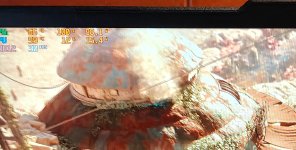
Cyborg MAX 5070 only 50 watt maximum after bios update

kistothzoltan79

New member
Joined
Nov 4, 2026
Messages
5
"Hello,
I recently purchased an MSI Cyborg MAX laptop featuring an RTX 5070 GPU with a maximum power limit (TGP) of 100W.

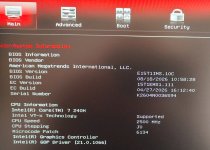
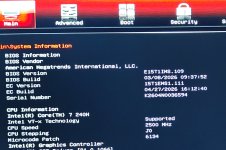
After updating the BIOS, the GPU's maximum power consumption dropped to 50W. I tried flashing back to the original (first) BIOS version, but the EC (Embedded Controller) version remained updated to the latest version, which means the 50W limit is still stuck.

I specifically bought this model because I wanted the full 100W, non-throttled/non-nerfed 5070 GPU.

Could you please advise me on how to completely restore the laptop to its pre-update state, including the original EC firmware? When I first bought the laptop, the 100W limit worked perfectly.

Thank you for your help!"
 

Attachments

  • IMG_20261104_220646.jpg
    IMG_20261104_220646.jpg
    276.4 KB · Views: 51
Hi, I noticed that MSI has released a new BIOS version, E15T1IMS.10C. You may try updating to this latest version.
After that, please switch to Performance mode in MSI Center>User Scenarios, and run Furmark (downloaded and run directly from the internet) to test the GPU power consumption and performance.
Maybe you can share a screenshot or video showing the TGP limitation.

Hi,
I have updated to the E15T1IMS.10C BIOS again and set the User Scenario to Performance mode in MSI Center.
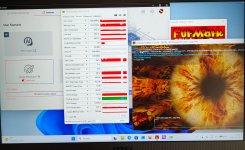
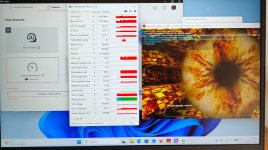
Unfortunately, the issue is still present—the GPU power draw is still hard-capped at 50W during FurMark stress testing.
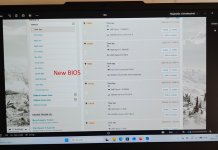
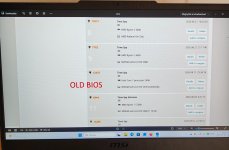
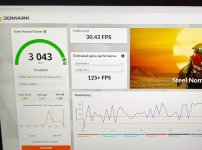
I have attached the requested screenshot showing FurMark running alongside monitoring software (GPU-Z / MSI Center), where you can clearly see the TGP maxing out at 50W instead of 100W. And my 3d mark old/new bios score.
Please advise on how we can resolve this or properly roll back the EC firmware to restore the factory 100W power target."
 

Attachments

  • IMG_20261105_151246.jpg
    IMG_20261105_151246.jpg
    559.4 KB · Views: 48
  • IMG_20261105_151119.jpg
    IMG_20261105_151119.jpg
    876.8 KB · Views: 45
  • IMG_20261105_151000.jpg
    IMG_20261105_151000.jpg
    762 KB · Views: 43
  • IMG_20261105_152223.jpg
    IMG_20261105_152223.jpg
    450 KB · Views: 38
  • IMG_20261105_152331.jpg
    IMG_20261105_152331.jpg
    573.3 KB · Views: 28
I'm also a computer enthusiast, and I haven't yet figured out how to roll back the EC firmware version for your particular computer model. From the image you provided, it's clear that the GPU/memory clock frequencies are not running at their optimal performance levels. You can try the following methods to see if they resolve the issue:
You may also try the following EC reset procedure:
Reset EC: Shut down the computer, disconnect the AC adapter, press and hold the power button for 25 seconds, then reconnect the AC adapter.
  1. Reinstall MSI Center: FAQ 4147
  2. Reinstall the NVIDIA graphics driver from the MSI official website: FAQ 2110
Hi,

Thank you for the suggestion.

Unfortunately, I have already tried this method multiple times without success.

Here is a breakdown of the troubleshooting steps I have already taken:
BIOS & EC resets: After each BIOS update, I properly applied the update and performed an EC reset every single time.

Clean OS installation: I performed a complete clean reinstall of Windows 11.

GPU Drivers: I tested multiple NVIDIA display drivers, including the latest release and the previous four Game Ready Driver versions (using clean installation).

Unfortunately, the situation remains unchanged, and the GPU power limit is still hard-capped at 50W regardless of these steps.

Is there any official/unofficial method to force-flash the original EC firmware, or any other fix available for this power limit cap?
 
I'm also a computer enthusiast, and I haven't yet figured out how to roll back the EC firmware version for your particular computer model. From the image you provided, it's clear that the GPU/memory clock frequencies are not running at their optimal performance levels. You can try the following methods to see if they resolve the issue:
You may also try the following EC reset procedure:
Reset EC: Shut down the computer, disconnect the AC adapter, press and hold the power button for 25 seconds, then reconnect the AC adapter.
  1. Reinstall MSI Center: FAQ 4147
  2. Reinstall the NVIDIA graphics driver from the MSI official website: FAQ 2110

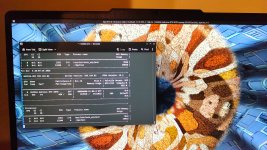
I have also tested the system under a Live Linux USB environment. This allows us to completely rule out Windows 11, the MSI Center app, and NVIDIA Windows display drivers as potential causes.
Unfortunately, the 50W power cap remains active even under Linux. This confirms that it is strictly a BIOS / EC firmware issue at the hardware level.
At this point, it seems clear that the updated EC firmware hard-locked the 50W TGP limit onto the board.
 

Attachments

  • IMG20261106200417.jpg
    IMG20261106200417.jpg
    1.5 MB · Views: 42
From the image you shared, the P4 state at 50W indicates that the GPU is only running at a moderate frequency rather than its maximum frequency. You can try contacting MSI's official customer service for further diagnosis.
I have also tested the system under a Live Linux USB environment. This allows us to completely rule out Windows 11, the MSI Center app, and NVIDIA Windows display drivers as potential causes.
Unfortunately, the 50W power cap remains active even under Linux. This confirms that it is strictly a BIOS / EC firmware issue at the hardware level.
At this point, it seems clear that the updated EC firmware hard-locked the 50W TGP limit onto the board.
 
From the image you shared, the P4 state at 50W indicates that the GPU is only running at a moderate frequency rather than its maximum frequency. You can try contacting MSI's official customer service for further diagnosis.

Hi,
Thank you for your reply. The issue has been resolved!
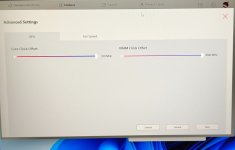
I managed to fix it by tweaking a specific setting that brought back the 100W power limit. In MSI Center under User Scenario, I selected the Extreme Performance profile and manually set the GPU clock and VRAM clock offsets to their maximum values.
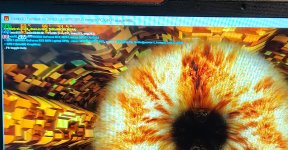
I then ran FurMark, and the GPU successfully drew the full 100W. After confirming this, I reset the clock values back to default, and the 100W power limit remained active.
Thank you again for your assistance, and all the best!"
 

Attachments

  • IMG_20261109_101248.jpg
    IMG_20261109_101248.jpg
    152.2 KB · Views: 5
  • IMG_20261109_101708.jpg
    IMG_20261109_101708.jpg
    538.5 KB · Views: 8
  • IMG_20261109_102246.jpg
    IMG_20261109_102246.jpg
    279.6 KB · Views: 8
  • IMG_20261109_102314.jpg
    IMG_20261109_102314.jpg
    421.3 KB · Views: 7
Hi,
Thank you for your reply. The issue has been resolved!
I managed to fix it by tweaking a specific setting that brought back the 100W power limit. In MSI Center under User Scenario, I selected the Extreme Performance profile and manually set the GPU clock and VRAM clock offsets to their maximum values.
I then ran FurMark, and the GPU successfully drew the full 100W. After confirming this, I reset the clock values back to default, and the 100W power limit remained active.
Thank you again for your assistance, and all the best!"
That's really great news. You're amazing!
 
Back
Top