
- Joined
- Nov 20, 2003
- Messages
- 86,034
Hi guys,
We the forum team have developed a new way of flashing.
You no longer need a floppy or anything, just an USB-stick.
The tool has been tested together with MSI and as far as we have done our testing, there are no problems at all.
As long as the USB-stick is FAT or FAT32 formatted!
However, flashing is always risky, so if it goes bad it's your own fault, but that goes for all flashing you do.
This tool is intended to flash MSI retail motherboards and laptops,
but if needs you can use any other machine to prepare the necessary stuffs and the USB stick there,
before move the USB stick to the msi product that you want to flash.
The way it works is simple: Download the package and download the BIOS from the MSI website that you want to flash.
The rest is straight forward.
Make sure that your board is set to be able to boot from USB.
So turn on USB Legacy Support in the BIOS.
Boot and press F11 to get the boot-popup and select your USB-device to boot.
(some boards have a different key, like K8N Master uses ESC for the boot-menu)
What ever you do, make sure you read all warnings!
The forum nor MSI is responsible if it fails for you.
Nor is this software supported by MSI technical support!
Please report problems/bugs if you find them.
currently supported OS ( 64 bit):
Windows Vista, Windows 7 (also Windows in Virtualbox under Linux!), Windows 8/8.1, Windows 10
(all kind of versions)
NOTE: If you are having problems getting your USB device to boot correctly, you may need to format it correctly as the geometry data may be incorrect. You can do that by pickup option "Fix My USB key" from the Tool or by using >>> Rufus Tool <<< tool and make it bootable with "FreeDOS"!
For future usage you can skip this step, it need to be done only once if your stick need adjustment.
This topic is for discussion of and help with the USB flash tool only. If you have a problem with your PC and need help then do not hijack this topic, please start your own new topic in the correct area of this forum!
NEW! >>> Read the comprehensive user guide here! <<<
The download links are listed below:

>> tool96 <<
attached files are visible for logged-in users.
pass: 1562
We the forum team have developed a new way of flashing.
You no longer need a floppy or anything, just an USB-stick.
The tool has been tested together with MSI and as far as we have done our testing, there are no problems at all.
As long as the USB-stick is FAT or FAT32 formatted!
However, flashing is always risky, so if it goes bad it's your own fault, but that goes for all flashing you do.
This tool is intended to flash MSI retail motherboards and laptops,
but if needs you can use any other machine to prepare the necessary stuffs and the USB stick there,
before move the USB stick to the msi product that you want to flash.
The way it works is simple: Download the package and download the BIOS from the MSI website that you want to flash.
The rest is straight forward.
Make sure that your board is set to be able to boot from USB.
So turn on USB Legacy Support in the BIOS.
Boot and press F11 to get the boot-popup and select your USB-device to boot.
(some boards have a different key, like K8N Master uses ESC for the boot-menu)
What ever you do, make sure you read all warnings!
The forum nor MSI is responsible if it fails for you.
Nor is this software supported by MSI technical support!
Please report problems/bugs if you find them.
currently supported OS ( 64 bit):
Windows Vista, Windows 7 (also Windows in Virtualbox under Linux!), Windows 8/8.1, Windows 10
(all kind of versions)
NOTE: If you are having problems getting your USB device to boot correctly, you may need to format it correctly as the geometry data may be incorrect. You can do that by pickup option "Fix My USB key" from the Tool or by using >>> Rufus Tool <<< tool and make it bootable with "FreeDOS"!
For future usage you can skip this step, it need to be done only once if your stick need adjustment.
This topic is for discussion of and help with the USB flash tool only. If you have a problem with your PC and need help then do not hijack this topic, please start your own new topic in the correct area of this forum!
NEW! >>> Read the comprehensive user guide here! <<<
The download links are listed below:
>> tool96 <<
attached files are visible for logged-in users.
pass: 1562
Last edited:
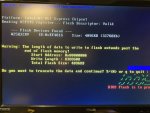

 Btw I still keep MSIHQ Tool 1.28j installer in case I need it back.