MSI GE70 1757 GPU Temperatures at 97C

charnagea

New member
PRIVATE E-2
Joined
Apr 15, 2017
Messages
4
Hello everyone,

A couple months back I started noticing some weird noises coming from the cooling fan and assumed it was probably about to fail and needed to be changed. I opened the laptop and cleaned it for dust, there wasn't much, yet my GPU temperature was still at about 86C when gaming. Constantly.

I ordered a new fan and on its arrival I decided to open up the case and put some new Arctic Silver 5 thermopaste since this is the 4th year of use for this laptop.

With the new fan and the thermopaste the temperatures jumped to 97C when gaming and 47C when idle (It's at 47 as I'm typing this).

I took the new fan out and the cooling system. Cleaned it. Applied new thermopaste again. Closed it back up and put the old fan in. Still at 97C.

I'm at a loss at this point as what caused this. I've made sure to tighten everything firmly and correctly as it was before. When I apply the paste I normally put a blob in the center and let the pressure of the block spread it equally around. Any suggestions? I'm willing to try anything.

Thanks.
 
Same thing happened to me with my old notebook, artic silver, new fan, high temps.

The issue was that the new fan was not a high RPM fan replacement.

Use coolerboost and check rpms with the msi app, it needs to go up to 3000 or more rpms, mine was at 2800rpm and it was not enough, the 3rd fan I got had 3700rpm and temps where ok (cost me 3 times more than the first replacement fan). I think MSI uses delta brand, try to get one of those if this is the problem.

Good luck!
 
ericalexb date=1492307526 said:
Same thing happened to me with my old notebook, artic silver, new fan, high temps.

The issue was that the new fan was not a high RPM fan replacement.

Use coolerboost and check rpms with the msi app, it needs to go up to 3000 or more rpms, mine was at 2800rpm and it was not enough, the 3rd fan I got had 3700rpm and temps where ok (cost me 3 times more than the first replacement fan). I think MSI uses delta brand, try to get one of those if this is the problem.

Good luck!
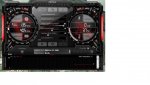
Thanks for your answer! Are you talking about the MSI Afterburner? How can I see the RPMs. For some reason I was never able to even see the fan speed %.
 

Attachments

  • cooler menu.png
    cooler menu.png
    68.2 KB · Views: 344
Install MSI dragon gaming center utility from the support page of your laptop model, and check RPMs at full load, that should do the trick.
 
power options, advanced options,  cpu power maximum set to 95% and it will prevent overclocking.  Sometimes it messes up and overclocks too high causing major heat issues.
 
I installed the gaming center app and the fan is at around 3000, on turbo boost it goes to 5714. Has no effect on the temperatures though. 

I also updated the BIOS and tried reverting to previous drivers for the NVIDIA card. However this isn't something exclusive to the GPU, the CPU also gets overheated to the same temperatures at the same time. So I'm leaning towards a hardware issue most likely. 

I've re-pasted the board probably 4 or 5 times so far using different methodologies. No change. 

I keep noticing that the air that is coming out of the fan slot is lukewarm when the GPU and CPU are burning hot at over 90 degrees. I'm leaning to think the heatsink might be damaged/cracked and its not conducting the heat past a certain point to the radiator. 

Is there a way for me to order the MSI heatsink for this model without going through a local service shop? The MSI official one in my country really sucks / is extremely untrustworthy. 

Thanks for all your input everyone.
 
Could you use latest Help Desk to export the system info and post the text information in here?
 
It should be normal that CPU/GPU will reach 9x degrees with heavy loading. Also your idle temperature also looks good.
 
Anyway, if you wants to order or check with MSI. See following.
How to contact MSI?

http://forum-en.msi.com/index.php?topic=107326.0
 
Konstantin date=1492766105 said:
Could you use latest Help Desk to export the system info and post the text information in here?

It should be normal that CPU/GPU will reach 9x degrees with heavy loading. Also your idle temperature also looks good.

Anyway, if you wants to order or check with MSI. See following.
How to contact MSI?

http://forum-en.msi.com/index.php?topic=107326.0

Thanks for the great links! I will refer to those. 

The idle temperature was with the boost on. At the moment with just the regular fan working I'm at 47C on the GPU and 55 on the CPU. If I turn CS GO on for example within 60 seconds on the clock I'm at 90C on both. 

If there are any other troubleshooting options I can try them but at this point I'm either going to use the laptop for non-gaming purposes or attempt to replace the heatsink altogether. I'm just scared of burning something out.
 

Attachments

9x degrees should be okay for heavy loading usage because that is the core temperature of CPU. It won?t cause any damage and the skin of notebook case should be only 30 or 40 degrees.
 

Besides, you also could try to disable unnecessary background programs or add a cooling pad for your notebook.
 
Back
Top