Realtek Audio Not Working Realtek-RealtekHSA.inf not found

Joined
May 22, 2026
Messages
2
I cant get my audio to work i updated my bios recently and ever since i have i havent been able to get my audio to work at all i tested things in both windows and linux and neither could get working audio out of any sort of source ive tried reinstalling drivers twice and cleared them as well i need some suggestions on how to fix this because it is making it very difficult at the moment

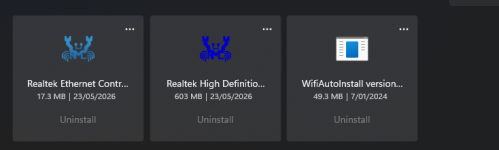
below is my audio devices in device manager as you can see no realtek audio but if i check installed apps i have the realtek High defintion audio driver Installed
 

Attachments

  • image_2026-05-23_022811349.png
    image_2026-05-23_022811349.png
    6.3 KB · Views: 134
  • image_2026-05-23_022939905.png
    image_2026-05-23_022939905.png
    18.5 KB · Views: 116
Main Board: Msi Pro B760M-P DDR4
Bios Version
: E7E02IMS
Video Card/GPU, brand and exact model: MSI Ventus 2x 3060 12gb oc
PSU, brand and model: GIGABYTE UD850GM PG5 V2 850W 80+ gold
12v rail Rating of listed PSU: 70.8A combined 849.6w
CPU: intel 12th gen i7-12700f
Memory stick(s), brand and model: Thermaltake 16gb 3200mhz ddr4 h one
SSD/ HDD, brand and model: Segate 2tb hdd msi Spatium M470 Pro ssd 1tb
CPU COOLER: Cooler master Master Liquid 240 RGB v2 Aio
Keyboard: G213 Logitech
Mouse: G502 Hero Logitech
Any Additional PCIe cards installed into your system? no
OC
: only factory overclocking
Operating System: windows 11 home 10.0.22631
Display: levono legion 27" 144hz display

- Is it a TV?: no
- How display is connected to the GPU?: DP
 
Back
Top